Graph Comment Notes Plugin

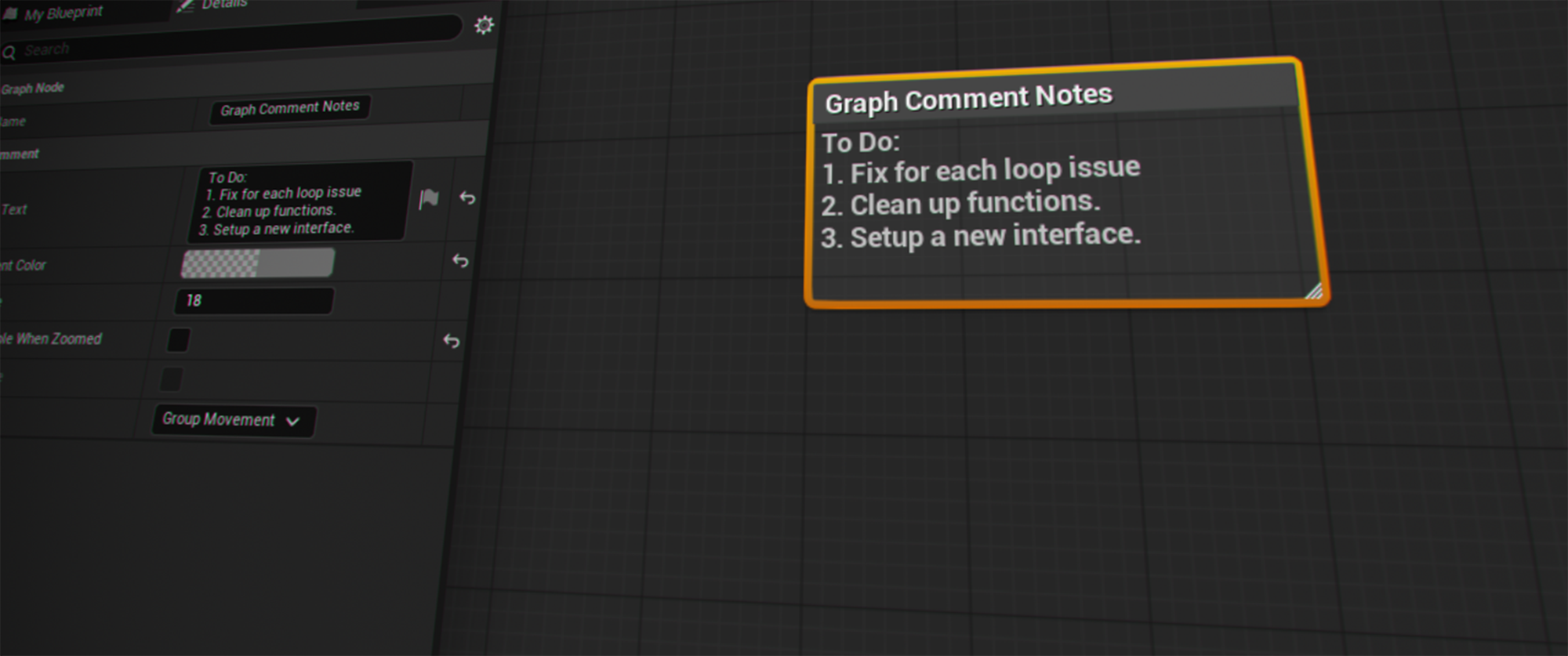
I'm here with my first free download: the Graph Comment Notes plugin!
It's pretty self-explanatory, but the idea is that this plugin adds a new comment type - one that allows for a note in the comment body. I wanted to be able to leave to-do lists or clean, generic notes in any graph editor.
Graph Comment Notes in action.
Download
Documentation
Installation
Simply install the plugin to your project or engine as normal, and enable it in your project.
Features
- Resizable comment box with a title (renamed like any comment) and an editable multi-line note body.
- Works in any UEdGraph-based graph editor.
- Color, font size, zoomed-out bubble, and group-movement-of-enclosed-nodes all re-implemented to match stock comment behavior.
Usage
Adding a Note Comment
Creating a note comment can be done in a few ways, depending on the type of graph you're in.
- The default hotkey is ctrl+alt+c; this can be rebound, however, via Edit → Keyboard Shortcuts → "Graph Comment Notes".
- Right click into the empty canvas → Add Note Comment will appear in the search menu. This works in all graph types except for blueprint.
- Right click onto an existing node → Add Note Comment will be in the Comment Notes section.
- If using a blueprint graph, you can use the hotkey or there is a button on the top toolbar for creating a note comment.
Editing
- Note text and title: click/double-click directly in the box, everywhere.
- Resize and drag: everywhere, standard comment-box handles.
- Color, font size, bubble visibility, bubble color, group movement: via Details panel (Blueprint, Behavior Tree, etc) or via right-click → "Comment Properties" submenu, which works everywhere including where the Details panel can't reach (Materials).
Relevant Information
Subclassing
Some of the details provided above may lead you to ask why I didn't simply subclass this comment type from UEdGraphNode_Comment, as it would have made things easier. In theory, yes, but in practice, nope.
If the node shared the base class, but not the widget class, which is necessary for the text body of our node, then a cast in the base code would still "succeed" and corrupt memory the moment one of our comment boxes overlapped a stock one on the same graph. No warning or a clean crash.
Unreal's own Material graph gets away with subclassing UEdGraphNode_Comment because every comment in a material graph is that same subclass - the mismatch this cast doesn't defend against never occurs there. A Blueprint graph mixes stock comments and any new kind freely, so that protection doesn't hold up.
The result: UEdGraphNode_CommentNote derives from the plain UEdGraphNode, and its widget from SGraphNodeResizable, not SGraphNodeComment. Resize, color, title editing, the zoomed-out bubble, and group-move-with-contents were all re-implemented independently, so the engine's own comment-handling code never encounters the new node type and never mis-casts the new widget.
Blueprints
Why is there no entry in the empty-canvas search menu?
Right-clicking empty canvas in a Blueprint graph opens a different system than right-clicking a node - a searchable palette backed by the Blueprint Action Database. That database populates itself by iterating every UEdGraphNode subclass and checking, per class, whether it knows how to spawn it; for comment boxes specifically, the registration code checks the node's class with an exact-equality comparison against UEdGraphNode_Comment::StaticClass() (the engine's own source even flags this pattern as one not to copy elsewhere). There's no override point for a different class to register itself into that same "Add Comment…" slot.
This is confirmed further by checking FBlueprintEditor, which explicitly replaces Unreal's generic empty-canvas menu system with this Action-Database-driven one (OnCreateActionMenuAtLocation). Blueprint's empty-canvas menu is architecturally closed to a plugin without patching engine source, or at least that is the conclusion I arrived at. It's possible I've missed something here, and if so, I'd love to know about a proper implementation.
Material Editor
Why don't note comment node properties don't show in the Details panel?
The cause is FMaterialEditor::OnSelectedNodesChanged, which decides what to hand the Details panel with an explicit type check rather than a generic passthrough. This code checks for an exact type match, which breaks because I don't subclass the comment node.
To address this, I added a second Details-panel-independent UI: right-click the comment box → Comment Properties, which edits those same properties directly and works in every graph editor, including the material editor. There is a slight alignment issue for the color and font size properties in said menu, but I can't be bothered to fix them at this very moment.
Why Not Release This on FAB?
I know that by releasing this for free, someone will likely take it, very slightly tweak it, and sell it on FAB. To those people I say: go ahead, but know that I will maintain/update this version, and it will always be available here for free.
Additionally, I have no interest in making money off of the game dev community, and I never will, as I believe in sharing knowledge for all, for free.